

Description
Product Overview
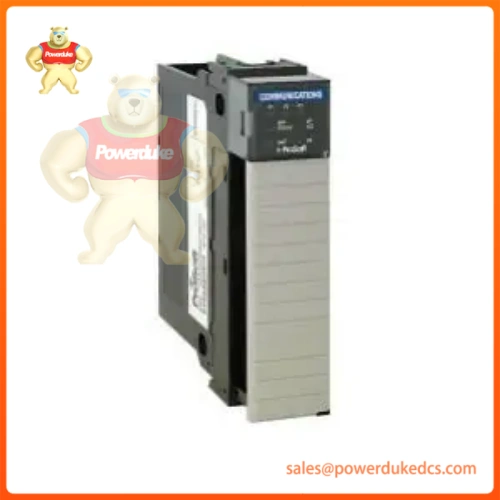
MVI56-MCM is a single-slot in-chassis communication interface module made by ProSoft Technology for the Allen‑Bradley 1756 ControlLogix rack platform. It enables ControlLogix PACs to communicate with Modbus RTU and Modbus ASCII serial field devices, RTUs, meters, drives and third-party controllers. This is a legacy serial gateway module commonly labeled as 1756-MVI56-MCM.
Technical Specifications
| Item | Parameter |
|---|---|
| Catalog Number | MVI56-MCM |
| Platform | 1756 ControlLogix single-slot chassis module |
| Backplane Load | 800 mA @ 5 VDC; 3 mA @ 24 VDC |
| Serial Ports | 2 × isolated RS-232/RS-485 software selectable ports |
| Supported Protocols | Modbus RTU, Modbus ASCII |
| Operation Mode | Modbus Master or Modbus Slave (each port independently configurable) |
| Max Modbus Master Commands | Up to 100 user configurable read/write commands |
| Backplane Data Transfer | 0–250 input words, 0–250 output words |
| Operating Temperature | 0°C to 60°C (32°F to 140°F) |
| Storage Temperature | -40°C to 85°C |
| Relative Humidity | 5% to 95%, non-condensing |
| Display & LEDs | 4-character scrolling alphanumeric LED; OK, APP, ERR status LED indicators |
| Configuration Software | ProSoft Configuration Builder (PCB) |
| Programming Software | RSLogix 5000 / Studio5000 |
Key Features
- Direct plug-in to standard 1756 ControlLogix backplane, compatible with L6x, L7x series controllers.
- Dual independent serial ports, each can be set as Modbus Master or Slave.
- Isolated serial interfaces protect ControlLogix rack from ground loops and electrical noise on field wiring.
- Provided Add-On Instructions (AOI) simplify tag mapping, data exchange and module fault diagnostics inside Logix controller project.
- Front panel display shows firmware version, port status and fault codes for fast on-site troubleshooting.
- Supports all standard Modbus function codes for register read/write operations.
- Drop-in upgrade path available to MVI56E-MCM enhanced model.
Typical Applications
- Water & wastewater treatment plants, remote pump stations
- Power generation, turbine auxiliary instruments, energy meters
- Oil and gas field skids, legacy serial RTU integration
- Factory automation, variable frequency drives, weight scales, analyzers
- Connecting older Modbus serial devices to Rockwell ControlLogix PLC systems
Installation & Maintenance Notes
- Install module into any available slot of 1756 ControlLogix chassis; avoid slots adjacent to high heat power modules.
- Use shielded twisted pair cable for RS485 field wiring, follow proper grounding rules to eliminate ground loops.
- Configure port parameters (baud rate, parity, stop bits, master/slave mode) in ProSoft Configuration Builder then download configuration to module.
- Import supplied AOI into Studio5000 project to manage data transfer and module health status.
- Verify serial wiring polarity carefully; reversed RS485 A/B wiring is the most common commissioning fault.
- MVI56-MCM is end-of-life legacy hardware; select MVI56E-MCM as replacement spare for new purchases.
- Always save module configuration file and PLC program before firmware upgrades or online changes.
FAQ
Q: What is the difference between MVI56-MCM and MVI56-MNET? A: MVI56-MCM is for serial Modbus RTU/ASCII over RS232/RS485. MVI56-MNET works over Ethernet for Modbus TCP/IP.
Q: Can both serial ports run as Modbus Master at the same time? A: Yes. Port 1 and Port 2 operate independently; each can be configured as master or slave separately.






